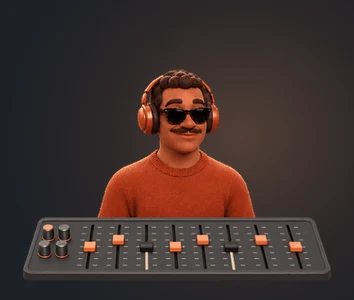
I wanted anyone, regardless of musical ability, to be able to play like an expert producer was helping them out. I designed and built Quincy so you can describe the music you want instead of setting up instruments or programming a beat.
Type or speak your request. Quincy can build a new backing track, revise an individual part, or change the instrument you’re playing. Ask for a warm organ with echo and the keys change sound while the drums, bass, and chords stay put.
“Give my keys a warm organ with echo.”
Quincy changes the player’s instrument and adds delay to it. The backing track is untouched.
Listening, producing, and playing back
I tied Quincy’s character to what the software is doing. You can see when he’s ready for a request, when he’s working at the console, and when it’s your turn to play.
Listening
With the mic on, Quincy transcribes your request and sends it when you pause. You can keep your hands on the keys.
Producing
Quincy uses the current arrangement to decide what to change. He works the faders while the app checks and applies the edit.
In the groove
Quincy nods to the beat during playback. You can compare the change with the original while you play.
Jam mode
Even if you've never touched an instrument, Jam mode ensures you'll sound great. Tap, drag, or use the keyboard to improvise. Web Audio schedules the notes you play on the beat and maps them to the track’s key so any combination sounds great. You play the lead while Quincy handles the backing.
Those same notes drive a custom WebGL particle simulation. Jam mode features 12 different visualizers which react in real time to the notes you play.
How I built it
I designed the interaction, built the browser instrument and audio engine, and connected the agent to the controls a producer needs.
Give the agent a specific job
Quincy gets the current track and recent requests, then returns a structured edit. The app validates the arrangement, instrument, or effects before applying it.
Change one part without losing the groove
Drums, bass, chords, and the player’s lead run separately in Web Audio. An edit to the lead sound doesn’t have to reload the track or reset the rhythm.
Show what’s happening
Request, production, and playback states drive the character. The finished change can be heard against the original to make it easy to tell what Quincy did.